Man that's really interesting!!!
It's hard to make this "float controller"? I really want to learn how to do that *-*
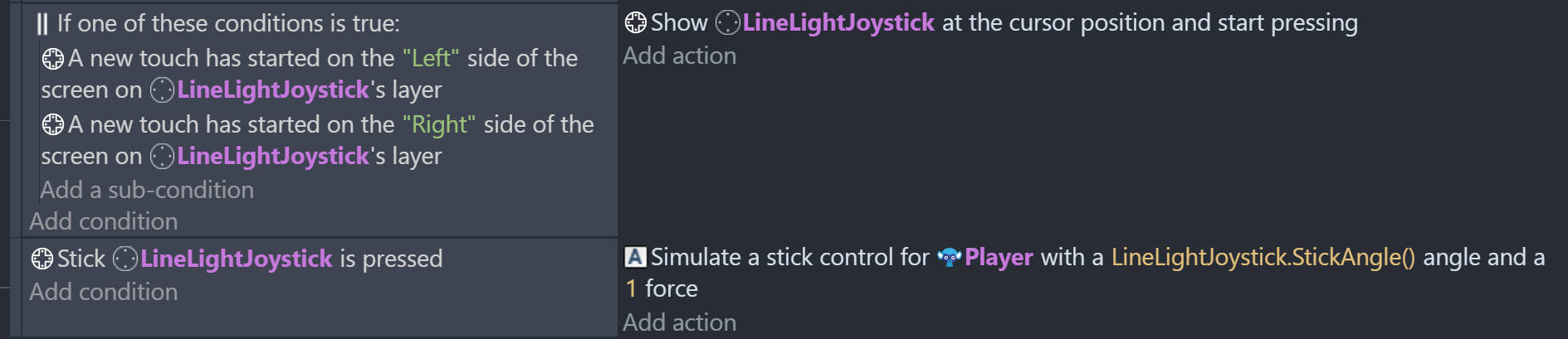
Once you have the virtual Joystick on the scene go to a condition and click on the Joystick object.
Then scroll down or type "New Touch". Find the "new touch started on a side". Then add one for Left and Right.
Put them in an "IF" condition (Right click the "Add condition" and type "IF")
Now for the Action click on the Joystick and find "Show at cursor position"
--------------------
New Condition add "Stick is pressed"
Then select the player and find the Action "Simulate control for top down/platformer movement"
Add the angle as "Joystick.StickAngle()"
*Joystick is whatever you call yours.