On Sale: GamesAssetsToolsTabletopComics
Indie game storeFree gamesFun gamesHorror games
Game developmentAssetsComics
SalesBundles
Jobs
TagsGame Engines
(3 edits) (-4)

These are great!
Is there a way for it to not pick up on the text colour when doing the effect? For instance BurningForBigText, the fire goes black if used on black text., green on green text etc. I think the TwarpFragmentShader is using the text colour to create the fire colour. 


I do not know a thing about shaders but Copilot (eventually...) provided a seeming fix in separating out the rgb and the alpha and using that to mix the final colour.  

This is what it changed:
    for (float x = 0.0; x <= MAX_LOOPS; x++) {
        if((u__glow_radius * 2.0) - (x*u__glow_radius*0.25) <= 0.0) break;
        for (float y = 0.0; y <= MAX_LOOPS; y++) {
            if((u__glow_radius * 2.0) - (y*u__glow_radius*0.25) <= 0.0) break;
            float offx = u__glow_radius - distance((u__glow_radius * 2.0), x*u__glow_radius*0.25);
            float offy = u__glow_radius - distance((u__glow_radius * 2.0), y*u__glow_radius*0.25);
            vec2 offset = vec2(offx, offy) / u_model_size;
//It added this bit here to separate out the rgb and alpha
            float glow_alpha = texture2D(tex0, distortedUV + offset).a;
            vec3 fire_color = mix(u__glow_color.rgb, u__end_color.rgb, 1.0 - v__uv.y);
            glow_color.rgb += fire_color * glow_alpha;
            glow_color.a += glow_alpha;
        }
    }

//final mix was here

    glow_color.rgb /= (4.0 * u__glow_radius * u__glow_radius);
    glow_color.a   /= (4.0 * u__glow_radius * u__glow_radius);
    vec4 final = mix(vec4(glow_color.rgb * u__glow_intensity, glow_color.a), text_color, text_color.a);
    gl_FragColor = final;
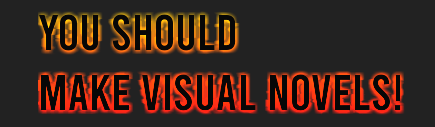
Resulting image above. It works with {color} tags in renpy!

The font browser is awesome also, but doesn't add font files in the base fonts folder, they have to be in a subfolder. It was throwing up an error (my font_list was empty even though I had fonts in my root font folder). It fixed by adding a single font into a folder. I know it may be best practice to put fonts in subfolders but just letting you know in case this error happens to anyone else!

These are simply amazing. Thank you!
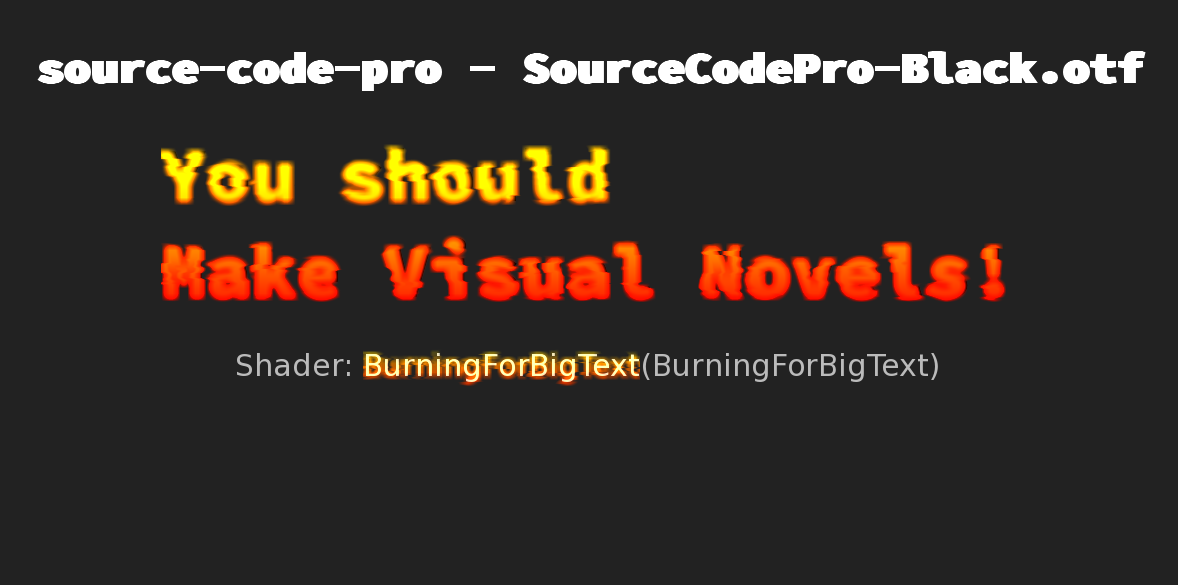
You may have snagged the test version I mistakenly uploaded initially when I was putting in the webGL fixes, which had a version of the fire shaders that inherited color from the text itself.  Try pulling the latest version and try again.

(2 edits)

Pulled latest version of MVNTSV1.rpy. There is zero difference from the one I had originally (using diff to check). Black text still creates black fire for me.
Happy to give any info about how I'm trying to use it in case I'm screwing something up. 

(+1)

Nah, I think I found it.  The fact that it was still there after you grabbed it told me what I needed to know. I'll have a correction out for it in a bit.

Awesome! Very new to this so wasn't sure if it was me or not. Be interesting to see what the fix is. Would love to get into shaders but I'll start slow and just play with the parameters for now.

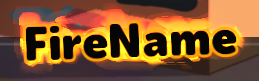
If you're curious, the reason this is happening is because I forgot to re-add a .a on a line at some point during testing.  The original intent for the effect was, when it got dark, was this, with proper alpha sampling vs entire color sampling:


And I missed it because my test area was using white text. Whoops.

The method you posted uses Mix to completely strip the effect off of where the text is visible, using the original text's alpha value as the blending value.  I had intended to come back to the pack for content update in a few months, which was going to include a hollow version of this one, as well as a mix version like the one you posted. 

(1 edit)

Oh makes sense. So the entire text should be flames. Yes I was changing the ALT-F font explorer text to different colours to test. 

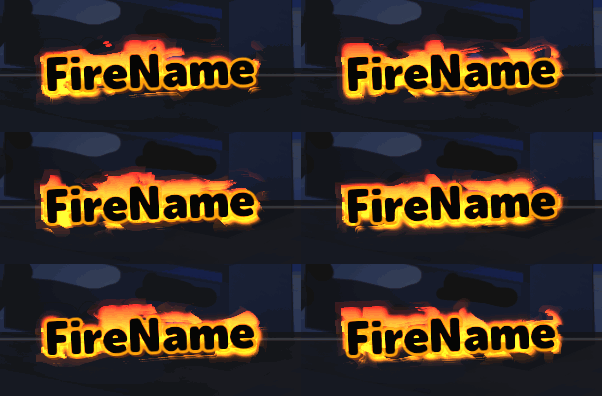
I quite like the flames 'behind' the text with the mix version, plus if you add semi transparent outlines the 'flames' also alpha out with them, giving a really nice cartoony effect especially when you set the warp intensity to something like 1000:


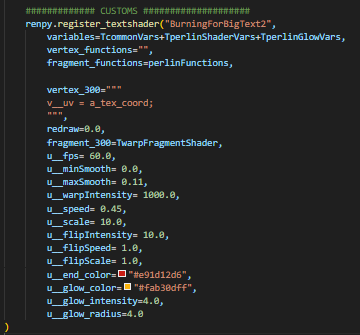
The custom burn settings (using the mix version I posted above):

There is a hard border on the left though which I have no idea how to fix (I'm using it on the name vbox). But it looks great for now.
Of course this would be tough to read in dialogue text cos it's quite over the top. (I'd love to have this effect on an image haha)
Really fun shaders!

(+1)

The reason it's cut off on the edges like that is because the shader can only draw within the rendered area.  If you want to get effects like that, you're better off compositing a screen together to include elements that could exist behind the text.  Since the parameters are tooled so high, there isn't much reason to make it adhere directly to the text displayable area.

Also I have a sprite/entity version that's in the works.  Vimi's been working on something that's got me working towards another pack released, and these type of effects for characters would be included.