On Sale: GamesAssetsToolsTabletopComics
Indie game storeFree gamesFun gamesHorror games
Game developmentAssetsComics
SalesBundles
Jobs
TagsGame Engines

Donotforgetmycode

289
Posts
7
Topics
14
Followers
4
Following
A member registered Nov 13, 2020 · View creator page →

Creator of

Recent community posts

(2 edits)
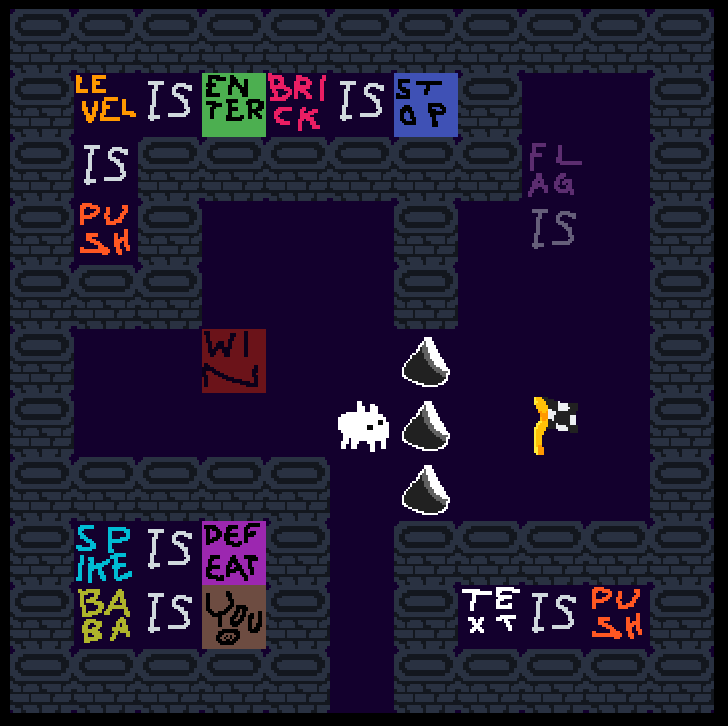
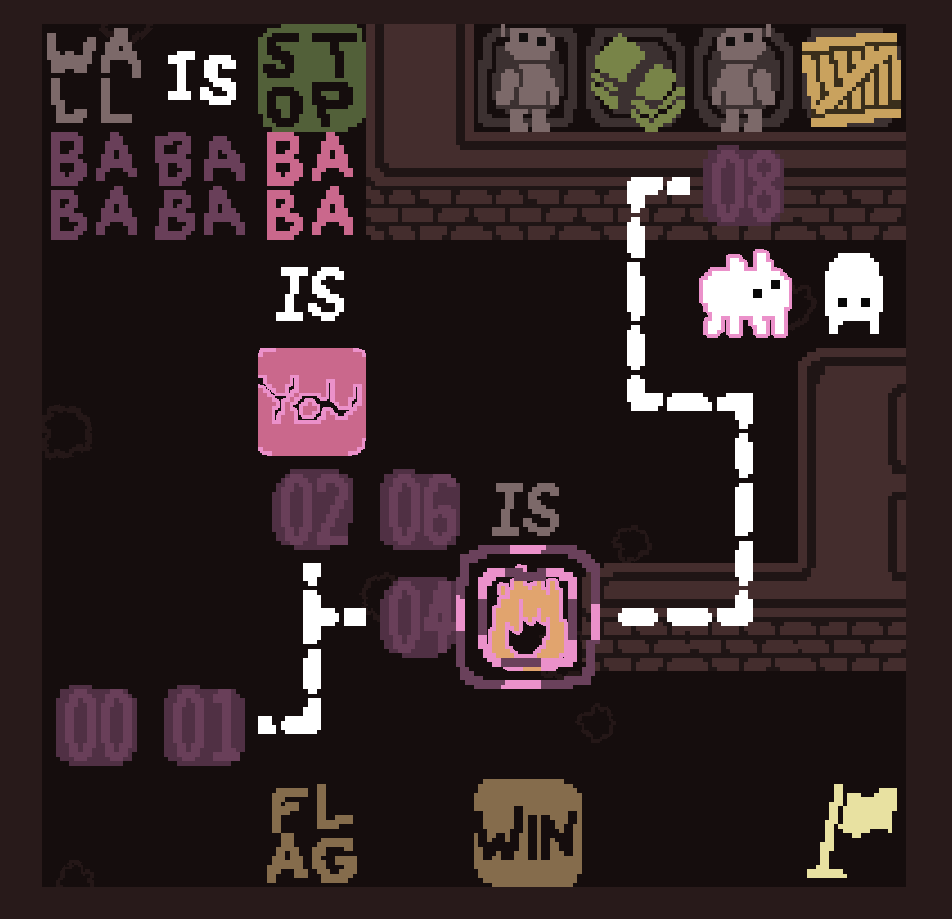
spoilerRecursive paraboxes do not display correctly. In this image there should be a parabox next to the "win" but it's invisible

image.png

OHHHH! That helps a lot. Thanks!

(1 edit)
spoiler yeah that's what I thought, but I can't figure out how to do that, because the grass pixels loop around, so there will always be exactly 3 grass pixels in every tile. am I missing something? another hint would be appreciated

I have absolutely no idea how to even start. I read the hint in the description, but I still can’t figure out how to push the big blocks. Can someone give me a hint?

why rot7 instead of rot13?

(1 edit)

I got the first ending pretty easily. Right now I’m stumped about what the second ending could be so I’ll come back to this later. Cool game

Ah, the bug was triggered by doing “game is flag” in the first level. Even after restarting the level, the undo button became completely broken

That’s strange. When I first loaded the levelpack, the undo button was completely broken, but when I exited to the menu and loaded the levelpack again, it started working.

Am I supposed to not be able to undo?

(1 edit)

I’m giving this another go and I think I get it now. I’m on the second level which is confusing me a bit, but very cool game! edit: Solved!

thanks

what are the controls? all i can seem to do is place down player goals

any hints on where to start?

is there a difference between “melts” and “eat”?

Is there a restart button?

i already saw it and replied to it

nice

thanks for the fanart, i like this

how am i meant to beat the first world?????

no it’s not

(1 edit)

but the background of the page could be blue instead of orange. in fact, the page theme doesn’t have to fit the colour palette, only the game itself does

i’m very confused. what am i supposed to do?

(1 edit)

type 2 and then double click “my drawings”

no it’s not

I really enjoyed this

what do you mean?

Oh wait nevermind, I suddenly remembered. The answer is

spoilerdune

No, they don’t describe anything I recognise. Googling it didn’t help either.

(1 edit)

I don’t understand the bonus question at all. Any hints? (Or just tell me the answer, I wouldn’t mind that)

(2 edits)

Really great game.

spoiler I was stumped on the 3rd word for a while, trying to think of an anagram of "spice" that had all the letters in the wrong place, before realizing that the orange path can go into the 4th row.

“I’m really dissapointed in this change.” It’s not a change, it’s been like that since the Confounding Calendar started in 2021. The only exception was 2023, where participants could choose one extra colour in addition to the required colour palette.

i enjoyed this

sure, go ahead

Thanks! Unfortunately I am not planning to update this any further.

thank you

it would be really nice if there was a better reminder to press X. I was stumped for so long at the beginning because I couldn’t figure that out

what is this

There is weird behaviour when you undo after beating a level.

the movement speed is a bit too fast

I need a bit of help on how to unscramble “cruel guitar”