

If you need help with a payout, we have refined our payout process and added an updated “Contact support about this payout” link on the Payout page within your dashboard.
Please use this link to contact staff about your payout going forward.
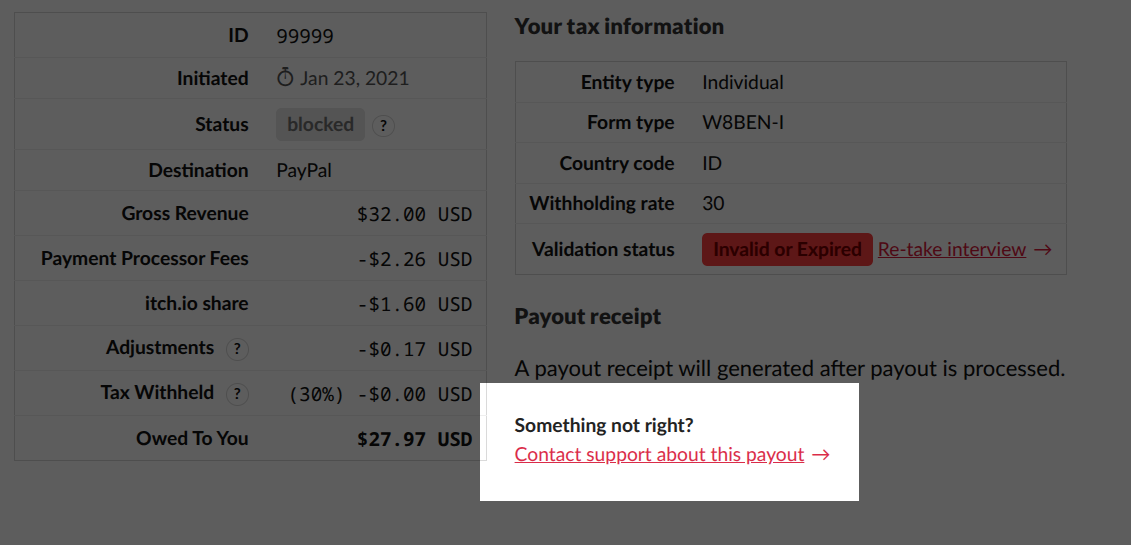
Clicking this link will take you to a special page where you can submit a request directly within your dashboard without writing an email. Your message will be associated with your account and payout, enabling our staff to review your requests more efficiently. Tickets created through this link will be monitored by the staff that processes payouts, instead of going into our regular support queue.
We ask that you no longer post requests for payout help on our community forums. We closed the previous topic we had open as it was a temporary solution until we updated some of our processes.
Updates to Tax Identity Verification
Previously, there were many scenarios where an account would get stuck in a pending tax validation state. We’ve implemented changes, including explicit messaging, to help ensure that accounts don’t remain stuck with pending or invalid tax information without any communication or path forward.
If your tax information is outdated or invalid, a large banner will now be across your Dashboard’s payout page, informing you with a direct link to retake the tax interview. You no longer have to visit a separate page to verify that your tax information is valid when checking on the status of your payout. Additionally, we’ve made some backend changes to synchronize your account’s tax status more actively from our third-party tax verification platform.