Q: Is it allowed to form teams only after the jam starts and I know the theme?
Alfish
Creator of
Recent community posts
I have some (1 year) Godot experience working solo on a project; I’ve never participated in a jam before. I nearly-completed 1 game, not fully released yet, but available here: https://alfish.itch.io/free-frutti (I’m a programmer, not an artist – graphics/music is AI-generated in that game).
The button to initiate payout on my payout page has a drop-down with Payoneer and “Other” (presumably PayPal too if I had connected it).

I’m curious about what it does, but just selecting it doesn’t show a form or change anything. I don’t think I can just click it to find out, as that would probably start a non-undoable operation. Couldn’t find any mentions of it in forum or docs.
I was assuming either Payoneer or PayPal were REQUIRED to receive payments… could this be an alternative option like wire transfer, SWIFT, Bitcoin or something like that? Is it only for some kind of special case? Has anybody ever used it before? What happens if you click it?
Well, Payoneer’s email says they’ll close 2 accounts for receiving transfers. That’s a USD and a GBP account. They were automatically created when I signed up for Payoneer through itch’s link, in fact I didn’t understand why a GBP account was made, as I never asked for it nor got the option to select which currencies I wanted. So I just assumed they were necessary for itch, or at least that USD account.
I have received USD twice from itch before, but it was never enough to cover the account maintenance fee of ~30USD/year, so I assumed it counted as “unused”. Only this year I accumulated significant money that would be enough to cover it and to receive as local currency (they have a ~150USD minimum to exchange and withdraw, I believe).
This is all quite confusing, but I guess it does make sense if it’s a Payoneer-to-Payoneer transfer and so it’s different.
Can you confirm you’ve been able to both receive it (more than the yearly fee) and withdraw to your local currency (if it’s not USD) even after no longer having those accounts? Has that happened successfully several times? If so, that’s a huge relief! Though I might still wanna look for this info or contact Payoneer to confirm it.
Also, do you still get charged that yearly fee (if you receive less than the minimum) even without those accounts?
Thank you a lot!
EDIT: My issue was solved, thanks a lot! I’ve already sent feedback for itch about things it can automate to avoid these kind of delays:
- automatically notifying users by email that tax information needs to be updated when it’s too old, to avoid the additional validation delay after requesting a payout;
- a setting for users to allow payouts be sent on itch’s initiative too (when amount is over a user-specified threshold or it hasn’t been requested over a year), so itch can optionally send payouts when demand is low to alleviate potential spikes in demand
É só traduzir o comentário. Basicamente, com o app fechado:
- Encontre a pasta de configuração do itch. Aquele caminho é no Linux. No Windows deve ser algo tipo
%APPDATA%\itch. - Encontre o arquivo
preferences.jsonnessa pasta. Abra, pode ser com o Bloco de Notas mesmo. - Esse arquivo salva as preferências do app. Ache isso no final:
"lang":"pt_BR"
Mude o valor da propriedade “lang” de “pt_BR” para “en”. Salve o arquivo, depois é só reabrir o app.
Vai ficar em inglês, mas pelo menos dá pra usar. Se preferir outro idioma é só tentar outro código, tipo “es” para espanhol. Se tiver uma conta no GitHub, pode se inscrever nesse ticket para ser notificado quando ele fechar (ou seja, quando resolverem o problema) ou comentar nele.
Already reported on this GitHub issue: https://github.com/itchio/itch/issues/2619
@felipeez No link acima tem a instrução de como reverter para inglês (ou qualquer outro idioma) novamente, pelo menos assim o app abre.
The instructions are in the download page, right where you get the files:
To install a .vsix extension file in VSCode, you can either drag it into the Extensions panel, or use the command line:
code --install-extension path/to/file.vsixTo install a .tet theme in Godot’s Script Editor, go to File > Theme > Import Theme…
Thanks for your nice contribution! ❤️❤️
Could you reconsider BTC because of this whole USA tariffs situation? At least as a payout method. I don’t know if/how exactly this will affect devs outside USA, but it’s unfair to have small indies be punished because of their countries’ policies, which they can’t control.
Another option is “stablecoins” like USDT/USDC/DAI to have consistent USD prices, but still avoid expensive fees on payouts.
If currency conversion creates complications, you could at least let customers pay in Bitcoin, in which case publishers receive in Bitcoin directly (no USD conversion). Similar to “Direct to you” mode. Allowing BTC transactions that integrate with itch’s download keys system would greatly help. Even better if we can allow discounts for customers who pay in BTC. Lightning Network can be used for instant BTC payments, so no 10 minute wait, and no expensive network fees. You could implement it in a way that’s independent from 3rd party services (except for USD->BTC price API).
make the movement speed something you can upgrade by buying it, and then add the sensitivity slider on top of it.
That’s actually a very interesting idea! I love it! I hadn’t thought about it before, and I think it can really work, plus it’s one more thing I can put in the shop, which only has 3 items currently. Thanks a lot! ❤️
Thanks for the feedback!
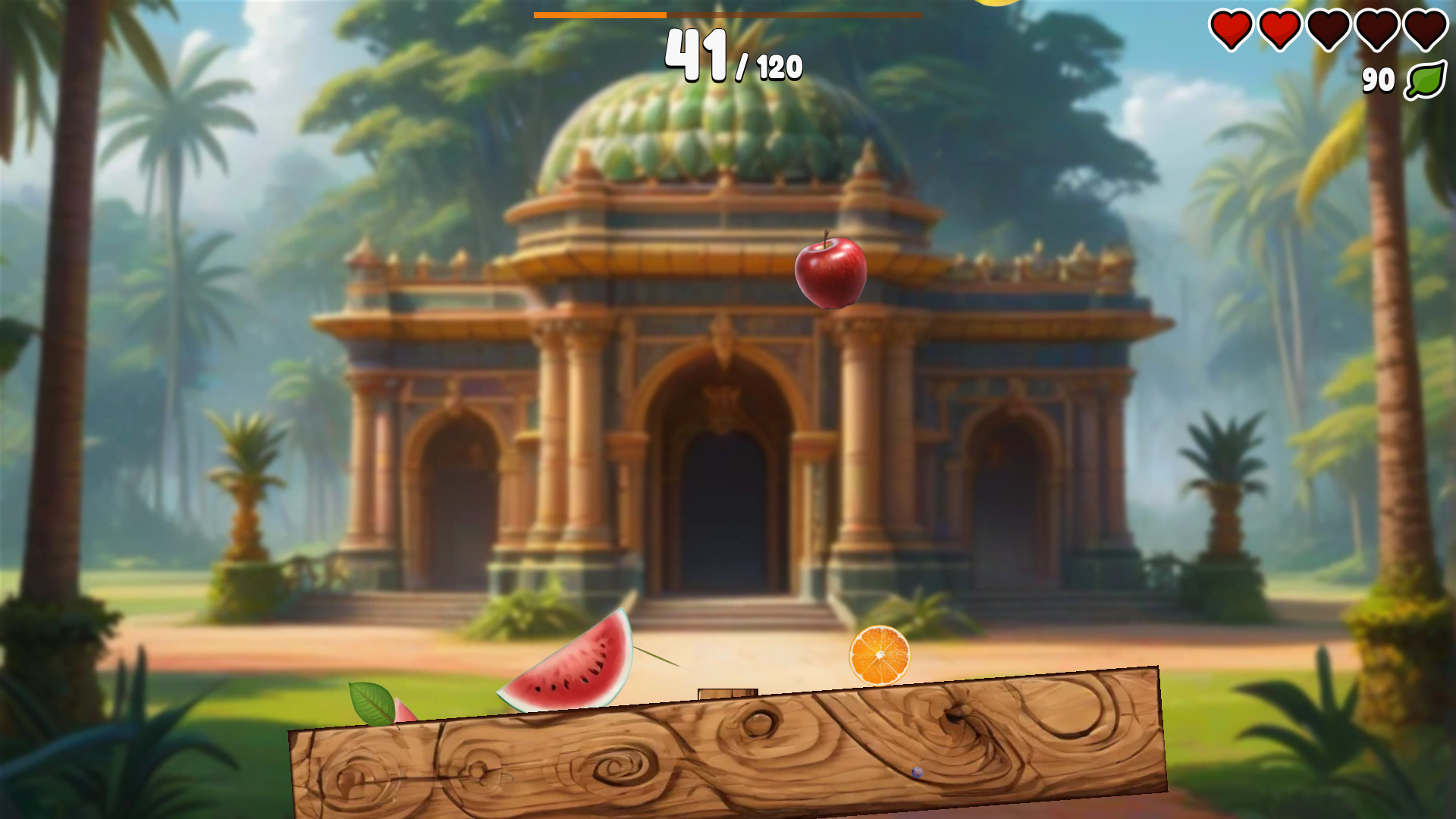
Yeah, the first stages are very easy, but it gets much harder later on! The stun debuff doesn’t do much on its own, but it can be deadly if you were stunned and get hit by heavy-hitters like bananas and watermelons, or pushed away by grapes!
Mastering the sensitive controls is part of the challenge! Is kind of the whole point of the game. I did think of adding a sensitivity slider to let the players decrease it, but they would probably have to turn it back up at the later stages because you’ll really need the fast reflexes! So I didn’t add it to avoid confusion, as you would need to get used to the sensitivity anyway. But do you think it’s a must-have feature?
My first game is finally released! Check it out! You can play the demo right in your browser!
Control the orange and dodge the falling fruits left and right until you reach the score goal. That’s it! Sounds simple, right? Well… not quite! The enemy fruits can knock you out pretty hard, Smash-style! Plus, getting hit by apples will stun you. Dodging the bananas is harder than it looks. And as for the watermelons… see for yourself in the video!
Do you have what it takes to help the orange recover his beloved other half and free the land of Frutti? Or will you get stuck in that pesky watermelon stage? Get it now and prove that you’re the Dynamic Dodger! The Hemispherical Hero! The Sour Supreme! The Citrus Courageous! The Zesty… uh… well, you get the idea.
Available for Windows, Linux, Android and Web.
Made with Godot 4. If you’re making your own games for Godot in VSCode, check also this.
I’ve just released v0.1.5, which fixes the search and should improve this (this issue was bothering me too).
I found a solution that works well enough without clashing with their extension. You just need to use the Open Godot API Documentation command (default: CTRL F1; ⌥ ⌘ D on macOS) instead of going to the definition with F12. This shortcut works even in GDScript.
If you use this when the text cursor is on a word that looks like a class, it takes you to the docs page of that class. If it’s in another word or some other text that is selected, it takes you to the search page, searching that text; then you can try to find it.
This simply matches the word, it doesn’t analyze the code at all. You can still use F12 on GDScript to use godot-tools like before (which does analyze the code and can find definitions in non-obvious cases like when the class is implied).
I’m assuming you’ve already enabled early access (thank you for the support! 😊) by entering the password, unlocking that setting.
GDScript support is provided only by the “godot-tools” extension, not by “Godot Files”. So, unfortunately, when you click it from GDScript, it will use their own viewer (which only supports English). If you click from a language provided by Godot Files, like .tscn, .tres, .godot, etc., or if you open it from the command (e.g. with CTRL+F1 on Windows/Linux) then it will use the setting for the specified viewer (and language if you enabled early access). If you’re on VSCode, CTRL+F will work on the webview viewer (to search e.g. a class name).
Sorry if this wasn’t super clear in the README, I’ll update it for the next version.
I’ll see if there’s some workaround to this limitation somehow, but as far as I know, I’m not able to make it work from GDScript unless I were to support GDScript myself (not going to happen anytime soon) or overwrite their viewer (which would remove your option to use it).
The “godot-tools” extension would be able to use a viewer from “Godot Files” if they were to implement it themselves, (e.g. by checking this setting on their extension too). You might want to open an issue in their repo to ask for compatibility, maybe they’re willing to implement it? They would just need to call the URI for my viewer in a similar way that I call theirs.
Don’t hesitate to ask if you have any other questions! 🙂
It’s precisely because devs can make mistakes that players (specially the ones that pay) should be able to access previous versions. Devs can and do often break something even when trying to fix something else.
However devs should be able to delete versions too, because some serious mistakes (e.g. leaking info) require actually unpublishing.
I will agree that at least when pushing the exact same –userversion number (instead of incrementing it) it should warn, and let you “force” to replace the previous one, thus unpublishing it. This way, devs will naturally tell when they meant to keep a version or drop it.
This feature is extremely necessary. There should be a butler unpush or similar, as well as a simple delete button in the web UI. The lack of this feature makes me uneasy to start using butler at all. Not even pushing the same --userversion works to replace it - it makes a new one. This isn’t right - even in git you can force push and move/delete tags if you make a mistake.
Currently there’s no way to fix it if someone makes a grave mistake, right? E.g. push a version that accidentally leaks some sensitive info (like server keys, passwords, emails, real names, etc.), or a full version of a game where it was supposed to be just a demo, etc.
My teacher once said “You’re making software, but you’re dealing with humans. They should be allowed to make mistakes, don’t you think? Undoability is extremely important.”.