
that's actually a great idea! I'll see if I can do it
Ink Ribbon
Creator of
Recent community posts
Thank you. Well the easiest way is to take a photo of a face and just overlay it, then blend out the edges, which is what I'd reccommend if you are a beginner artist.
Otherwise you could try painting your own for a more stylized artistic look.
When I was making this pack I used the Sims 1 as a reference on how to texture
Hmm that's strange. Are you using an older version of Blender? I use 4.1 and 4.2 mainly, but not sure if that matters.
I have to step out but I'll reply when I'm back. In the meantime I added an extra file to the downloads if you want to try importing it directly into unreal engine. I should also mention I don't use unreal 5, I'm still using UE4 (because UE5 is too powerful to make PS1 games imo)
That extra file was rigged with a different system so we will see if that one works. I'm sorry about this! It's the reason I haven't sold more rigged assets, because it's a compatibility nightmare lol
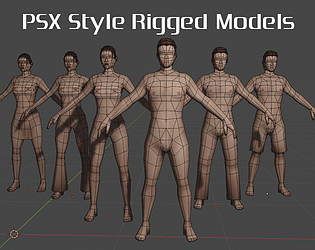
I just double checked and all the blend files I have include the skeletons. It is using the free rigify add-on, so you might have to enable that.
As for importing to unreal, I use these for my own games pretty frequently and I've never had any issues. When I import I always select the 'thirdPersonMannequin' skeleton that's included in the standard third person template and it works.
If it's still not working let me know and I'll see if I can help
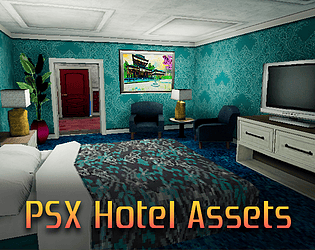
Hey there, thank you! It was a long time ago but if I remember correctly those are originally watercolor paintings that I shrank down. As far as I know they aren't AI generated but you can always replace them with any images you want. I went with landscapes because I figured it was the most neutral thing haha
So I start with the nude base and I use texture painting in blender to simply paint onto the model. I know that sounds scary but it's really not that hard. the main 3 steps are :
1. Solid blockout
2. Paint shadows/dark areas
3. Paint on the highlights
Once you crunch it all down into ps1 style it usually hides any blemishes you may have added.
If that's too much you can also add a second material for the clothes, create the textures first, then align the UV maps to make them fit.
One last thing that you can do is texture baking, which I also do a lot. Take a high poly model that's finished, align it to the PS1 mesh, and if you bake the diffuse only it will basically copy all the detail and textures to your PS1 model. The downside is that you need a highpoly model for that.