ahh wow thank you!
Millie Squilly
Creator of
Recent community posts
I would say it's absolutely possible!
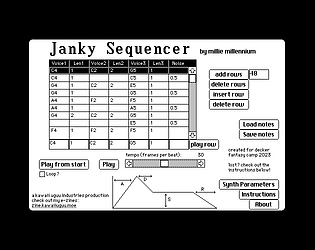
I wrote a synthesis-based sequencer for a jam last year, and as I understand it the main difference with a tracker would be playing back samples (and pitching them up and down as necessary) instead of generating waveforms. So yeah absolutely it could be done if someone has the wherewithal!
Oh if it helps, on a previous experiment I'd used just one-bit visuals and a smaller window, which helps keep the filesize down, it's also got doco on how to do it and it's here: https://zine.milliesquilly.com/videotest2.html
Oh cool! If you haven't seen it, the "All About Color" deck that comes with Decker has some stuff about importing images that could help you have different effects e.g. using different palettes or using an external tool to dither it!
And I ended up doing a second project as well haha, this one is less technologically interesting but probably more artistic https://micpp.itch.io/a-nice-anime-date
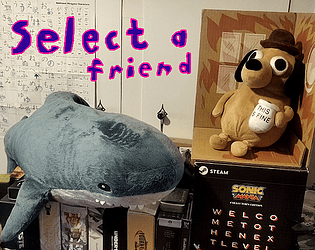
I made it happen! It is mostly a tech demo, and even with such a short game the file size is kinda big https://micpp.itch.io/select-a-friend but it worked.
So you'd probably be able to make an effect like this by using the main "palettefade" function as well as the "setpalette" function. Basically set up a red palette, cut to it instantly, and then slowly fade back to the normal palette. Something like this - I've commented to explain what each bit does
#set up the two palettes we need, one normal and one red redpalette:(16711680,16711680,16711680,16711680,16711680,16711680,16711680,16711680,16711680,16711680,16711680,16711680,16711680,16711680,16711680,16711680) normalpalette:pf.currentpalette[deck] pf.setpalette[deck redpalette] #make screen red go["card1"] #go to the next card #could add a wait step here if you want to hold on red for a bit before fading back pf.palettefade[deck redpalette normalpalette 30] #fade back to normal
I hope this makes sense! You can tweak it to go to different colours or fade faster or slower if you want - and there's no requirement to necessarily change cards, if you leave out the go statement you can have it as like an effect on the current card (e.g. in the middle of another script)
Ahh, I'd say go ahead then! Although with how I do the audio output (basically just generating individual samples for each note, playing them back based on Decker's frame timing and letting Decker take care of the mixing) it may be hard to pipe the output to anywhere else since it's not like a conventional stream of audio as such.
Zine of Millie EX3 was also too big to fit on a floppy disk without zipping, but it's online now! https://zine.milliesquilly.com/ex/ex3.html
Basically you open the deck you need to have the module in, and then drag the deck that has the module into the window. That'll pop up the Font/DA mover and you can move the module across. It looks like you've done that but with still no luck?
Any chance you can upload the deck somewhere so we can have a look?